System Support
Shield Fire & Security U.K Ltd offers support for existing customers across all our systems — remote where possible, on-site when needed.
Types of Support Available
Shield Fire & Security U.K Ltd can assist existing customers across a range of installed systems and technologies.
CCTV & Security App Support
Help with CCTV viewing apps, alarm apps, notifications, user access and basic settings for your installed system.
Fire & Security System Support
Support for fire alarm, intruder alarm, access control and system fault queries on your existing installation.
Networking & Wi-Fi Support
Troubleshooting for connectivity issues, Wi-Fi coverage, network equipment and cabling-related queries.
Remote Diagnostics
Where appropriate, remote support can help identify issues without an immediate site visit, saving you time.
Engineer Visits
Some faults may require an on-site visit, especially for hardware, cabling, fire system or security system issues.
Phone & Email Support
For straightforward questions or guidance, get in touch by phone or email and we'll help point you in the right direction.
Remote Support
For some issues, Shield Fire & Security U.K Ltd may be able to provide remote support by appointment. This can help with software setup, app configuration, basic troubleshooting and diagnostics.
Remote access should only be used when arranged directly with Shield Fire & Security U.K Ltd.
Remote Support Tools
If you have been asked by Shield Fire & Security U.K Ltd to download a remote support tool, the links below are the official sources.
AnyDesk
Lightweight remote desktop software. Download the official version from AnyDesk directly.
Download AnyDeskTeamViewer QuickSupport
A one-time session tool that requires no permanent installation on your device.
Download TeamViewer QuickSupportMicrosoft Quick Assist
Built into Windows. A simple option for Windows users that requires no additional download.
Microsoft Quick Assist InfoImportant
Only download or run remote support software if you have been specifically asked to do so by Shield Fire & Security U.K Ltd.
Before You Contact Support
Having the following information ready will help us resolve your issue more quickly and reduce back-and-forth.
- Your name and contact details
- Site or property address
- Type of system affected (e.g. CCTV, fire alarm, alarm panel, Wi-Fi)
- Make and model of equipment if known
- A short description of the issue
- Any error messages or fault codes showing on the system
- Photos or screenshots if relevant
- When the issue first started
Faster Resolution
The more detail you can share upfront, the less time is spent gathering information before we can help.
Better Diagnosis
Knowing the system type, equipment details and when the fault started helps us pinpoint the root cause more accurately.
Right Support Option
Understanding the issue helps us determine whether remote support is suitable or whether an engineer visit is needed.
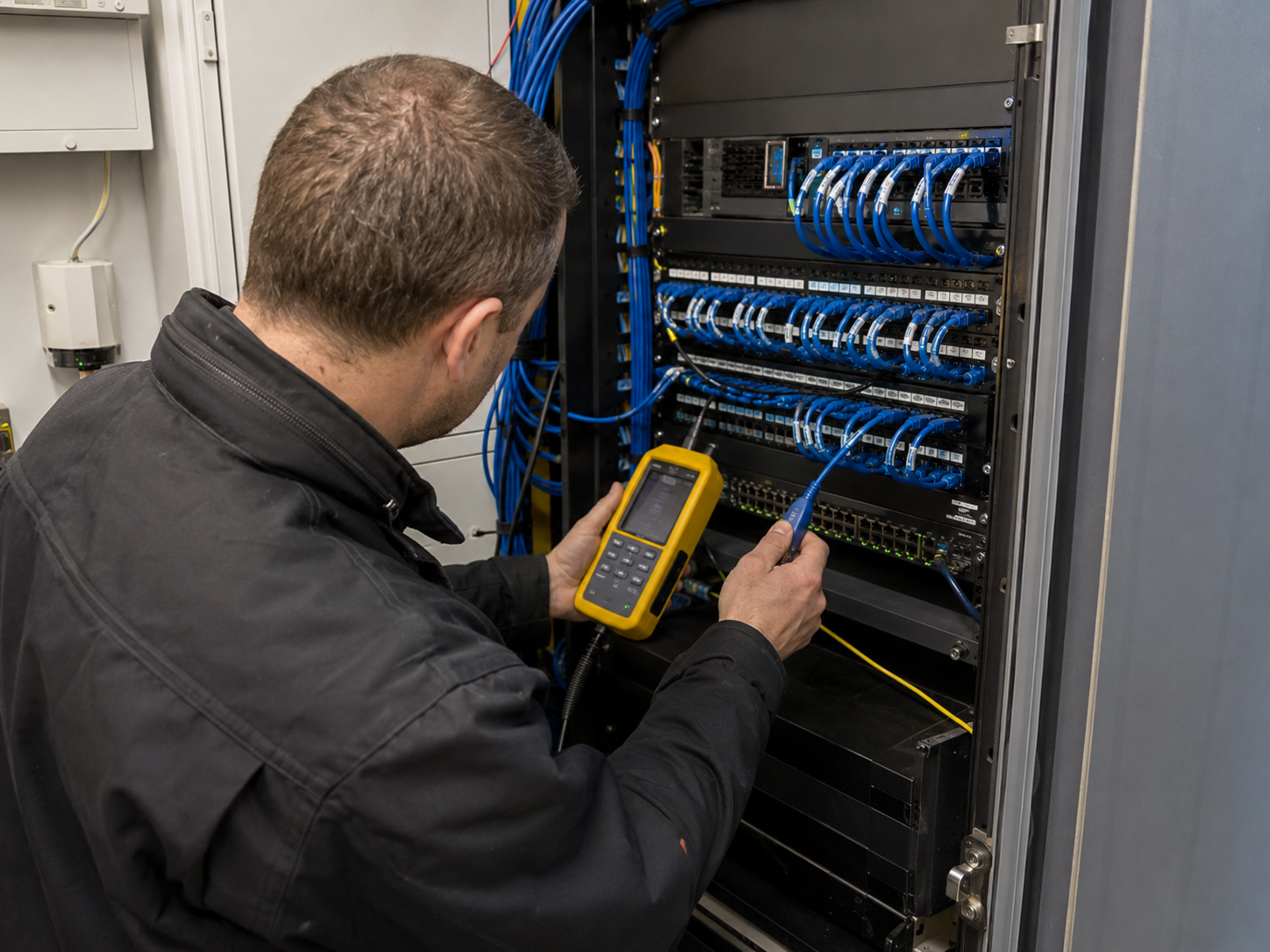
When an Engineer Visit May Be Needed
Some issues require an engineer to attend site, especially where there may be a hardware fault, damaged cable, fire alarm fault, access control issue, power problem or equipment replacement requirement.
Not all faults can be resolved remotely. Where a visit is needed, Shield Fire & Security U.K Ltd will advise on the best approach and keep things as straightforward as possible.
- Hardware faults and equipment failure
- Cabling or wiring issues
- Fire alarm system faults
- Access control reader or panel faults
- Power supply or equipment replacement
Need Help With an Existing System?
Contact Shield Fire & Security U.K Ltd and we'll help you find the right support option, whether that's remote troubleshooting or an on-site visit.